What's new ·
Login for dedicated or shared computer
Upon logging in, choose your computer type: on a shared one, the session ends when you close the browser; on a dedicated one, you stay logged in.
By Lucas Marchon, Founder at BrainChat
Reception desks, service counters, and customer service stations use the same computer for multiple people. Offices and home offices use their own. These two scenarios require opposite session behaviors, and now you choose when you log in.
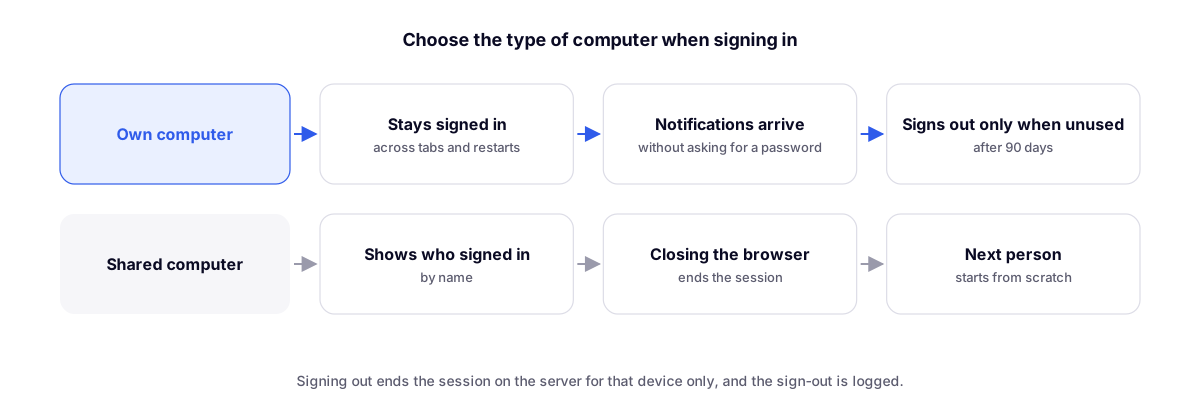
The two modes
| Dedicated computer | Shared computer | |
|---|---|---|
| Session | Stays connected across tabs and restarts | Ends when you close the browser |
| Notifications | Arrive without asking for your password again | Only while the browser is open |
| Timeout | After 90 days of inactivity | When you close the browser |
| Login screen | Standard | Shows the name of the last person who logged in |
Dedicated computer is the default. Opening and closing tabs does not log you out in either mode.
Logging out completely
The Log out button also ends the session on the server, only on that device, and records the logout. Anyone logged in on another computer stays logged in there.
Related
- Operator-only screen for agents: shared mode pairs well with customer service stations.
- Team with permissions by area: whoever logs in sees only what has been granted.