What's new ·
Audio transcription in the chat
Voice notes from customers on WhatsApp turn into text right inside the conversation: just click Transcribe below the audio. Enabled per channel and using the organization's AI credits.
By Lucas Marchon, Founder at BrainChat
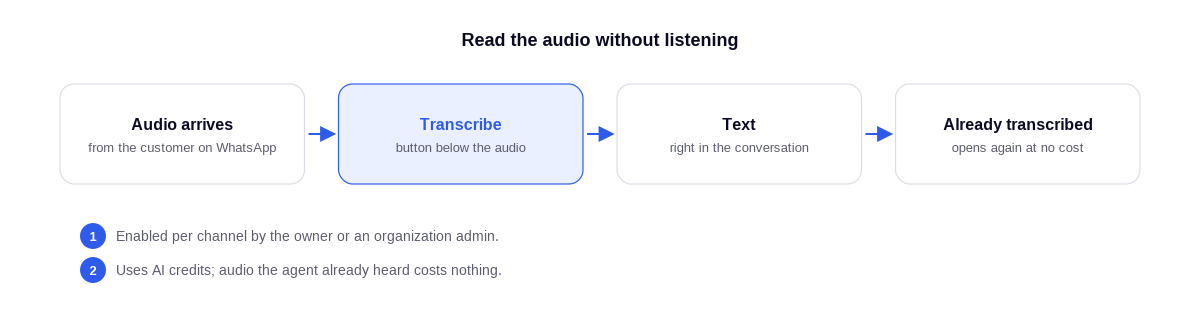
The voice notes your customers send on WhatsApp can now be turned into text directly in the conversation. Just click Transcribe below the audio to read what the customer said without needing to listen. It helps in noisy environments, during meetings, and when reviewing history.
How to use
- Open the conversation in Conversas.
- Below the received audio, click Transcribe.
- The text appears right below the audio, titled Transcrição.
If the audio has already been transcribed—either by the AI agent that assisted the customer or by another team member—the button appears as Ver transcrição and opens instantly at no cost.
How to enable
Transcription is enabled per channel under Configurações → Mensagens → Liberar transcrição neste canal. Only the organization owner and administrators can turn it on and off. When enabled, everyone handling the channel sees the Transcribe button; when disabled, no one sees it, not even leadership.
Transcription uses the organization's AI credits. It applies to audio received in Conversas and does not appear on the embedded card without login.
Complements
- Translation while typing, queue in the header, and clearer distribution: keyboard translation, enabled by channel in the same way.