What's new ·
Flow: ready-to-use journeys, review before publishing, and run now
Start with one of 17 ready-to-use WhatsApp and email journeys, see what still needs to be configured, review what changes before publishing, and run manual Flows with a single click.
By Lucas Marchon, Founder at BrainChat
Flow is now easier to start, read, and launch safely.
Start with a ready-to-use journey
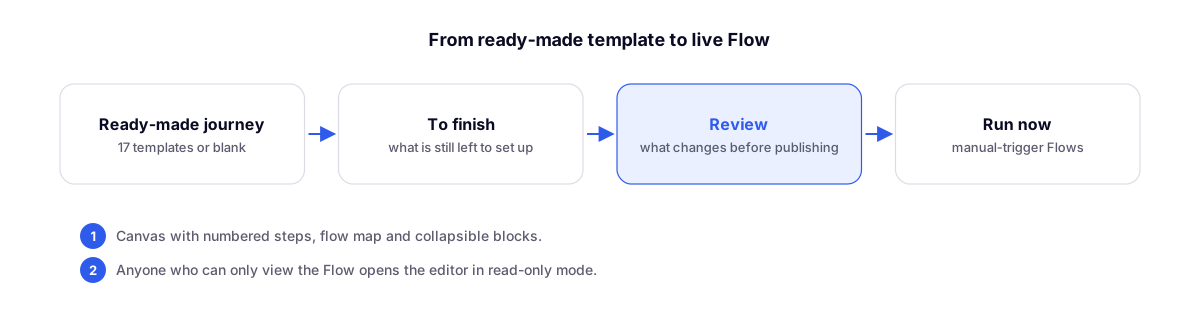
New flow opens the Start with a ready-to-use journey gallery, featuring 17 journeys: 10 for WhatsApp, 3 combining WhatsApp and email, and 4 exclusively for email, plus a blank Flow. Each journey indicates whether it is for WhatsApp Business or the official API, and the emails come pre-styled with your organization's branding.
To finish
The To finish button lists what still needs to be configured—such as "Choose the phone field"—so a Flow never goes live half-built.
Review before publishing
Before publishing, BrainChat shows what changes compared to the currently running version. Confirm with Publish and turn on. The trigger only changes when you publish, so editing an active Flow does not affect what is already running.
Run now
Flows with a manual trigger, published and turned on, now have a Run now option in the ⋯ menu of the list. After confirming, a notification takes you directly to View executions.
Readable design for complex steps
- Numbered steps (such as 5.2.1) with a + between them to insert steps at the exact point you need.
- Flow map when the design doesn't fit on the screen, along with zoom using Ctrl or ⌘ + scroll.
- Collapse paths and loops, one by one or all at once. Your preference is remembered for each Flow.
- During testing, each step's card turns green, yellow, or red, showing how many times it ran and how many errors occurred.
Greater confidence in executions
- An execution where a step failed ends with warnings, rather than as "completed".
- Try again runs the exact same Flow version and items from that execution.
- Errors appear in clear, readable sentences, and schedules follow the organization's timezone.
- Users with view-only permissions open the editor in read-only mode, without the ability to edit, test, or publish.
Complementary updates
- Email templates with themes, branding, and review: journey emails use your organization's branding.
- BrainChat connector for AI apps (beta): build, publish, and run Flows directly from your AI app as well.