What's new ·
Contact and company profile on a dedicated page
Contacts and companies now have a full page with data, tickets, notes, emails, calls, relationships, and an AI summary.
By Lucas Marchon, Founder at BrainChat
The chat sidebar only showed the basics of a contact and didn't have room for the rest. Now, both contacts and companies have their own dedicated page with everything the operation knows about them.
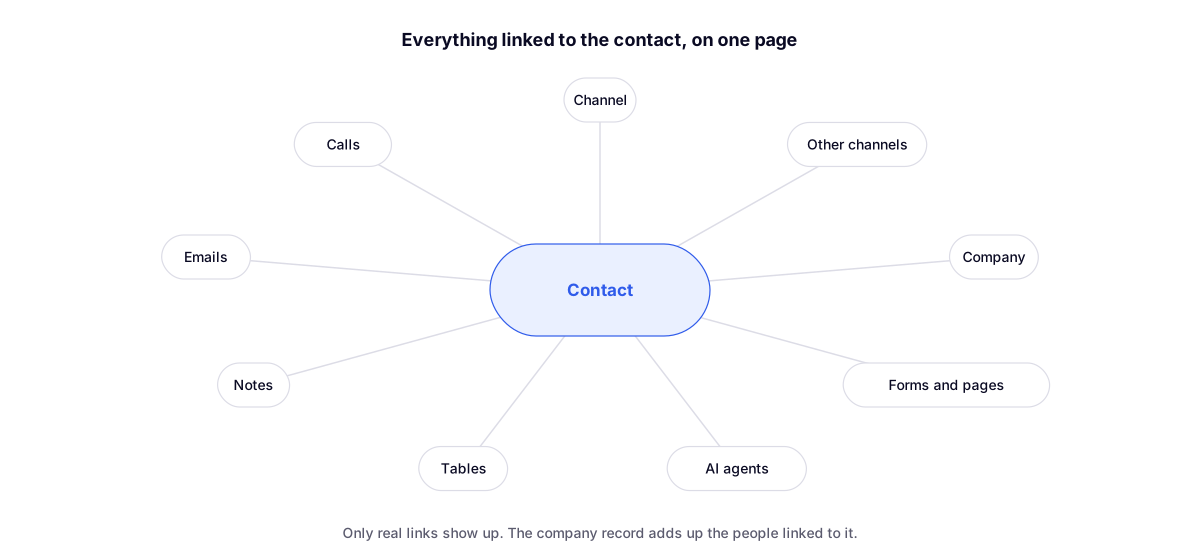
What the contact profile brings together
- Identity on the left: shortcuts for WhatsApp, email, and calling, inline editable data, ticket status, and where the contact came from.
- Tabs: Overview, Activities, Tickets, Notes, Emails, and Calls.
- Ticket metrics: number of tickets, response time, and satisfaction ratings for the contact.
- Right column: the company and its colleagues, scheduled messages, and the same person across other channels in the organization.
- Relationships: a map of the contact's actual connections (forms they filled out, agents who assisted them, table records, notes, emails, and calls).
- AI summary: generated only when requested, based on the history that the user has permission to read.
When you open the profile, the selected channel switches to the contact's channel, because departments, portfolios, and tags are specific to each channel.
Company profile
It follows the same standard: editable data on the left and tabs that aggregate the people linked to the company, showing tickets for all of them (with the Contact column), notes, emails, and calls.
Complements
- Companies: group contacts by client: where the link between contacts and companies originated.
- Editable contact profile, tags, and timeline: the previous version in the sidebar.
- Unified inbox and channel transfer: the same person across multiple numbers.