What's new ·
Broadcasts: metrics by Flow and by step, and system tables as recipients
In Broadcasts → Metrics, see the sends of each Flow and each step, and where each template came from. Recipients by table now include Contacts, Companies, and the other system tables.
By Lucas Marchon, Founder at BrainChat
Sends going out through a Flow now appear in Broadcasts metrics with the flow name and step name, for both WhatsApp and email. This makes it easy to see which automation generates responses and which needs adjustment.
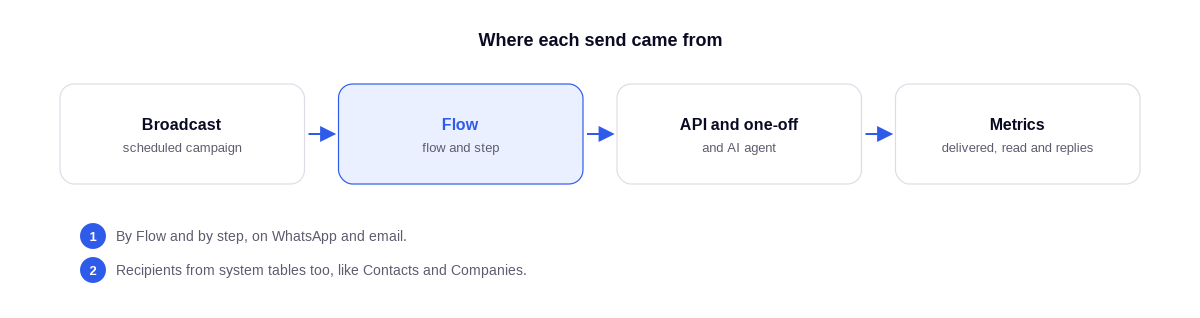
Metrics by Flow
In Broadcasts → Metrics, under the WhatsApp and Email tabs:
- the origin filter includes Flow and each flow, so you can view just one;
- the By Flow card lists the flows; click one to see the Sending steps, showing sent, delivered, read, replies, and failures for WhatsApp, and sent, open rate, clicks, and failures for email;
- under Most sent templates, click a template to see where it came from: a broadcast, a Flow, the API, the AI agent, or an ad-hoc send.
In the metrics window of each Flow, the Sends by step section shows the same breakdown without leaving the flow.
WhatsApp sends via Flow have been tracking the flow and step since 11/18; older ones appear grouped together as sends prior to identification.
System tables as recipients
Under By Table, for WhatsApp and email, system tables like Contacts and Companies now also appear, either in full or using a saved view. When an organization has more than one channel, All channels views also appear, such as "Contacts · All channels", along with their respective views. Each person only sees the tables and channels they have permission to read.
More
- A broadcast with an allowed sending window that closes before finishing will resume the next time the window opens, with the estimated sending time updated.
- In the All channels view of system tables, you can save views that are shared across the organization.
- Contact import saves in batches and finds existing contacts using the spreadsheet phone numbers, even in large channels. Duplicate rows are merged, and an existing contact is only updated in the fields that are filled in.
- Through the connector, email campaigns can exclude domains from the segment.
Read more
- Broadcasts: sends, templates, metrics, and logs all on one page: the Broadcasts page.