What's new ·
My Space: notes, tasks, and internal team chat
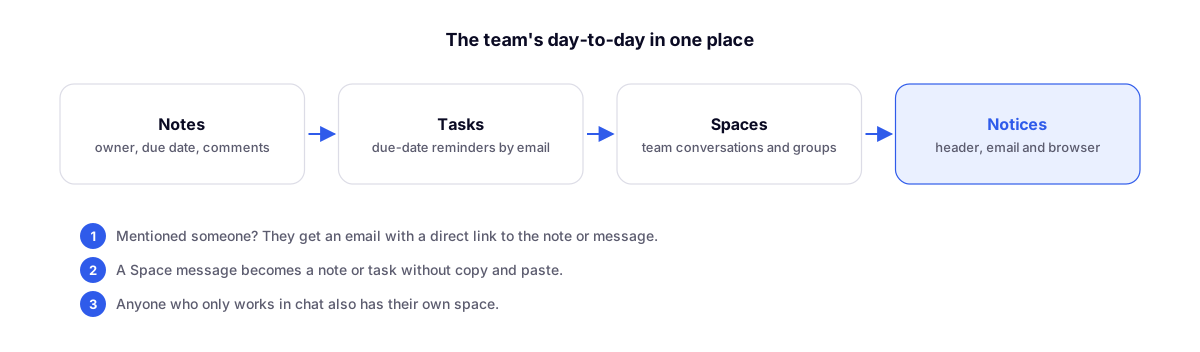
Every member gets a space featuring notes, tasks with deadlines, and Espaços—the internal team chat complete with mentions, email alerts, and notifications.
By Lucas Marchon, Founder at BrainChat
Scattered notes, agreements made over personal WhatsApp, and tasks tracked in yet another tool. My Space brings together the daily workflow of everyone working in the organization, including those who only handle chat support.
Notes
- Document-style editor with a title, text, and compact properties: assignee and due date.
- Side comments alongside the note and details in a menu, with no tabs involved.
- Archive gets the note out of the way for everyone without deleting it: it stays in Archived for those who were already reading it.
- Quick note via the header button; save with Ctrl/⌘ + Enter.
Tasks
Any note with an assignee and a due date becomes a task. The assignee receives an email when assigned, one hour before the deadline, and when the task becomes overdue.
Espaços
- Direct conversations and team groups, kept separate from customers. Only participants can read them.
- Mentions with email alerts, pinned messages for the group, and attachments.
- Turn any message into a note or task without copying and pasting.
Notifications
Counters in the header display unread messages and tasks due today or overdue. With the tab running in the background, the browser notifies you of new messages.
Available as a plan add-on.
Complements
- Organization notes with a cleaner read: the foundation of notes.
- Contact and company profile on a dedicated page: notes linked to contacts and companies.