What's new ·
Flow: read flows without opening each step, expression search, and Flow as author
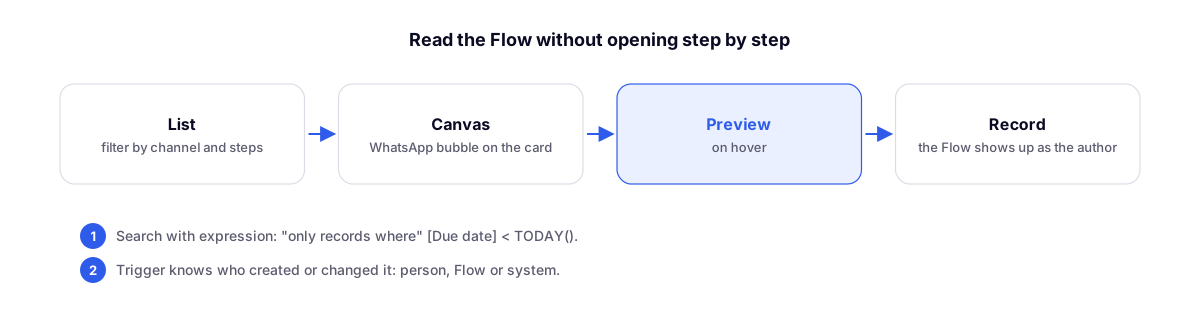
The list shows the steps of each Flow and filters by channel, the canvas shows the WhatsApp bubble, the preview opens on hover, and the log shows when a Flow created or modified something.
By Lucas Marchon, Founder at BrainChat
With many Flows running, it was hard to know what each one does without opening them step by step. Now the list and the canvas tell you this at a glance, and the logs show when a Flow made changes to them.
In the Flow list
- The new Steps column shows up to four icons of what the flow does, with the logos of the websites it calls, the "+N" for the rest, and the total number of steps.
- The channel filter separates flows that send WhatsApp, send email, call an integration (HTTP), or do none of these. The channel comes from the steps themselves: no need to check any boxes, and ignored steps don't count.
On the canvas
- Send message and Ask with options appear as a WhatsApp bubble, with formatting, readable variables, and options.
- Hover over Send email, Send template, or HTTP request to see the large preview: the drafted email, the template with filled-in variables (along with a warning if it hasn't been approved by Meta yet), or the method, URL, headers, and body of the request. Keys and passwords are hidden.
Search with expression
In the Search record step, the Only records where (expression) field filters using the same language as table formulas, for example:
[Vencimento] < TODAY()[Cliente] = [trigger.row_data.cliente]AND([Status] <> "Pago", [Valor] > 1000)
Dates follow the organization's timezone, and the search goes through up to 20,000 records.
Flow as author
- When a Flow creates or updates a record, Created by and Updated by show the Flow in the table, the record card, Studio, and export.
- The trigger now includes who created or updated the record:
{{trigger.updated_by.kind}}tells you whether it was a person, a Flow, or the system. Use this in the trigger filter to run only when a person makes a change, preventing one Flow from triggering another in an infinite loop.
Records saved before this change keep their previous author.
Complementary
- Flow: ready-made journeys, review before publishing, and run now: the previous round of Flow improvements.
- Table formulas: MAXBY, MINBY, and SUMUNIQUE: the language used in expression searches.