What's new ·
Studio: step-by-step new record form and record link by email
Studio now features a form to create records with sections, steps, suggestions, and auto-filled fields based on the user's login, and Flow can now generate a code-free registration link for email approvals.
By Lucas Marchon, Founder at BrainChat
Studio portals are used to receive requests: requisitions, submissions, registrations. Now, requests arrive complete, with a form designed specifically for the person filling it out.
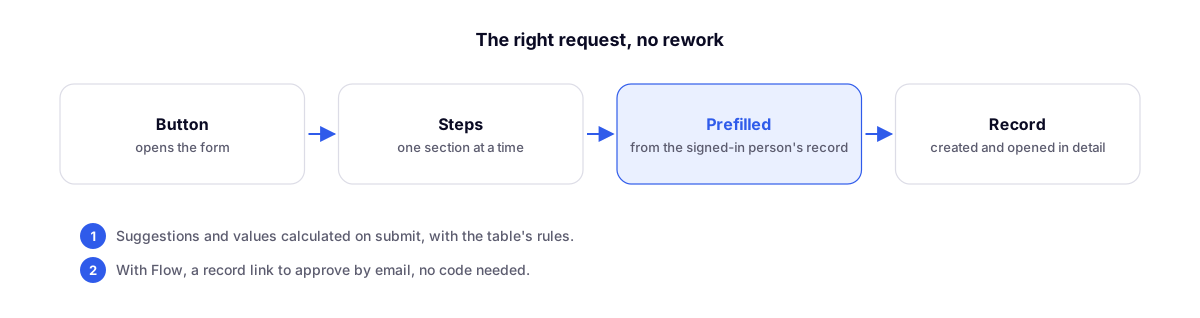
New record form
In the block catalog, the New record form replaces the old Form. The configuration includes the sections Display, Sections, Fields, Auto-fill, Pre-filled from profile, and Submission.
- How it appears: as a Button that opens the form in a window (matching Studio's button style) or as a Form on the page itself.
- Steps: enable One section at a time to show one page per section, with Back and Continue buttons.
- Fields: choose the width (half or full row) and add Help and a Suggestion. The suggestion comes pre-filled, and the user can change it. Shortcuts are available for today, now, and the sender's name and email.
- Auto-fill: fields that remain hidden and are calculated upon submission, such as the order date.
- Pre-filled from profile: the name, email, or department of the user who logged into the portal is saved without them needing to type it.
- Submission: after sending, display a message and allow another submission, or open the created record on the detail page.
Table rules apply to the form: initial values, conditional fields, conditional mandatory fields, validations, and the Division (%) sum. Fields linked to other tables show only the allowed options.
Filtered options in connection fields
In the table's connection column, the Only show options where field limits options using an expression, for example [solicitante_email] = USEREMAIL(): each user sees only their own options, both in the portal and on the screen.
Code-free record link via email
Flow now features the Generate record link step. It creates a link that opens the record directly in Studio, without requiring a code, for a limited time. This is useful, for example, for a manager to approve a request via email.
- Choose the Studio, the Record page, the Recipient's email, and the Validity (days): 7 by default, up to 30.
- The recipient must be in the Studio's login directory and logs in as themselves.
- The link expires when the record changes stages.
- This step only generates the link: send it using an email step right after.
More updates in Studio
- Announcement, Banner, and Recent records are now available in the Studio block catalog.
- Kanban, Calendar, Gantt, Map, and Matrix have been moved out of advanced blocks.
- In Automatic mode, charts use the color of each table option, just like in Kanban (Won in green, Lost in red).
- The browser's Back button returns to the previous page and record without leaving Studio.
- In a published Studio, the browser tab displays the Studio's name and logo.
- Record blocks and the detail page open faster.
- In Flow, Find record and Update record now also accept the record code, and Create record calculates the initial value of columns that the step left empty.
Related
- Studios become portals: portal entry via record and free blocks: the foundation of portals that receive these requests.
- Flow: read flows without opening each step, expression search, and Flow as author: the latest Flow updates.