What's new ·
AI Assistants that build tables, Studios, Flows, and pages
A single side panel brings together assistants that plan, show cards for approval, and only then create tables, Studios, Flows, agents, and landing pages.
By Lucas Marchon, Founder at BrainChat
Building a table with stages, a Studio with charts, or a Flow with multiple steps takes time, even for those who know the tool. The build assistants handle the assembly, and you decide what goes in.
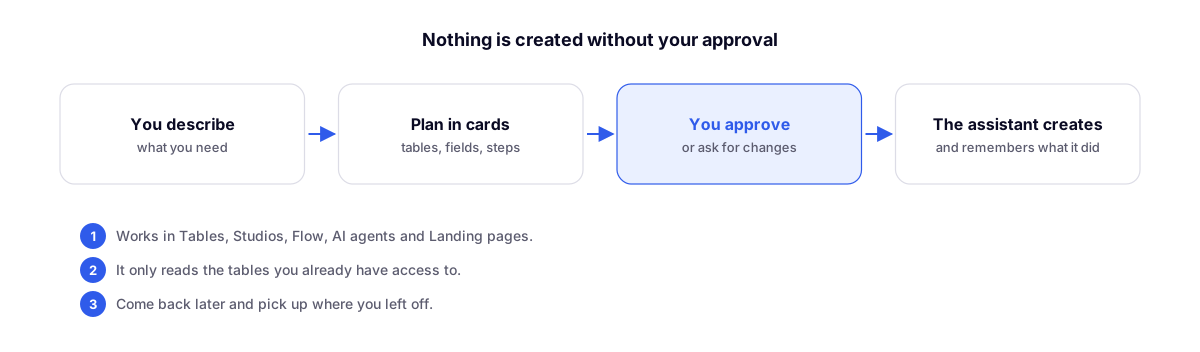
How it works
- Open the assistant panel, which sits beside the screen without covering it.
- Describe what you need, such as "a sales funnel with stages and a conversion dashboard by salesperson."
- The assistant proposes the plan in cards: tables, fields, stages, charts, or Flow steps.
- Approve or request adjustments. Nothing is saved before your approval.
- It creates and remembers what it has already applied. Come back later and pick up right where you left off.
Where it is
Tables, Studios, Flow, AI Agents, and Landing pages, with the same look and feel across all of them. Each conversation with the assistant is yours, within the organization.
What it can read
Only the tables you already have access to. The assistant cannot see anything outside your permissions.
Complements
- Flow: step-by-step testing, versions, and build-to-flow assistant: the first assistant, exclusive to Flow.
- Organization Wiki and assistant inside Studios: the assistant that answers questions about the data.
- AI agents easier to set up and more accurate: the assistant in agent configuration.