What's new ·
Large files as links and clickable links
Send files up to 1 GB as a clean link with an expiration date on WhatsApp, in Spaces, and in notes, complete with a download counter. Plus, every address is now a clickable link.
By Lucas Marchon, Founder at BrainChat
WhatsApp has file size limits, which meant large videos and documents often got left out of the conversation. Now, BrainChat turns the file into a clean link with an expiration date, which your customer or colleague can open and download.
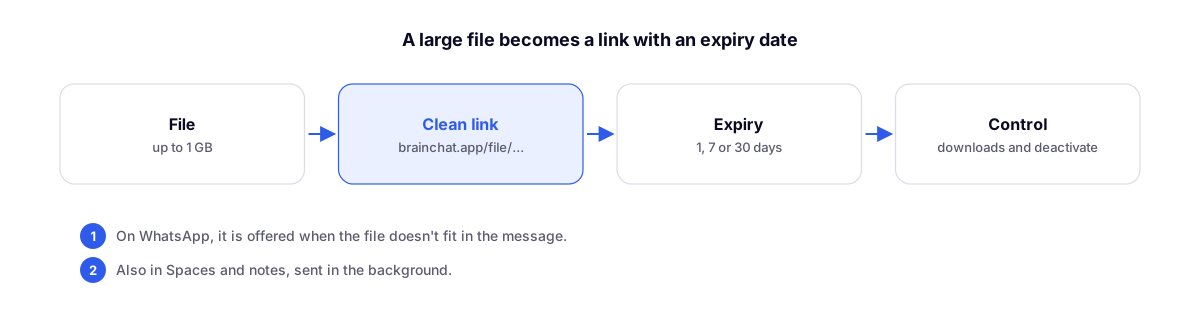
How it works
- Files up to 1 GB.
- The link uses the format
brainchat.app/file/..., featuring a Download button. Images and audio up to 200 MB open with a preview directly on the page. - You choose the expiration period: 1 day, 7 days (default), or 30 days. Once the period expires, the file is deleted.
Where to use it
- WhatsApp conversations: when the file doesn't fit in the message (a document over 100 MB or a video you can't compress), BrainChat offers Send as link. Click Create link and send.
- Spaces: Send as link (expiring file, up to 1 GB).
- Notes: Insert file as link.
The upload runs in the background, with the progress displayed in the corner of the screen so you can keep working. In notes, the link appears immediately and starts working once the upload is complete.
Who downloaded it and how to disable it
The message containing the link shows how many downloads have been made and when the last one was. To cut off access before the expiration date, use Disable link. The creator of the link and organization admins can disable it.
Clickable links everywhere
Addresses starting with http, https, or www. now open in a new tab in conversations, Spaces, notes, comments, and plain text emails. The sent text remains unchanged: only the display is affected.
Related
- My Space: team notes, tasks, and internal chat: Spaces and notes, where you can also send files as links.