What's new ·
Radar: query records from your tables without leaving the chat
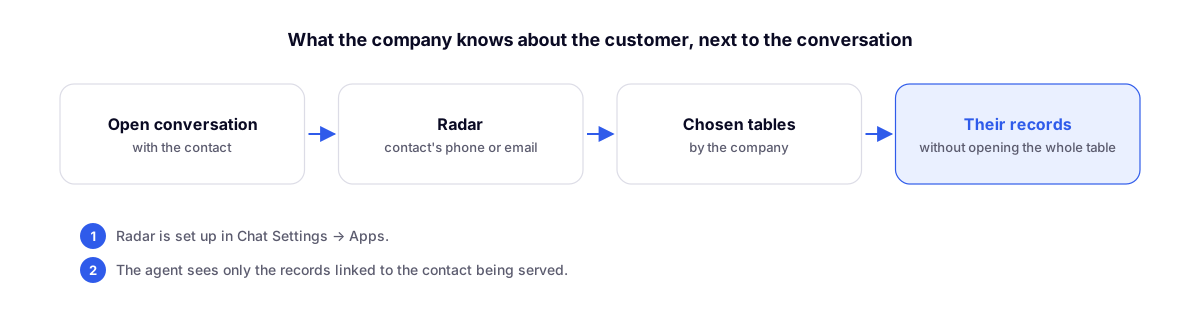
During a conversation, agents open Radar to see records linked to the contact, automatically filtered by phone number or email.
By Lucas Marchon, Founder at BrainChat
Agents who needed to check a customer's order, contract, or ticket used to have to open another tab, search the table, and switch back. Radar brings those records right alongside the conversation.
How it works
- In Chat Settings → Apps, choose which tables Radar queries and by which field: phone number or email.
- During the conversation, open Radar in the side panel.
- The records will automatically appear filtered by the contact being served.
Targeted access
Agents only see records linked to the contact in the conversation, even if the table is private. They can look up what they need without gaining access to the entire table or its schema.
Use case ideas
- Customer orders in an ecommerce store.
- Contracts and installments for billing.
- Previous support tickets.
Complementary features
- Contact and company profile on a dedicated page: the complete view of the contact.
- Tables to organize your company's data: the tables that Radar queries.