What's new ·
Agenda: scheduling pages for every team member
New online scheduling module: each member has their calendar, the company has collective calendars, and clients book times on their own.
By Lucas Marchon, Founder at BrainChat
"What time works for you?" usually leads to five messages. With Agenda, clients see available times and book on their own.
How it works
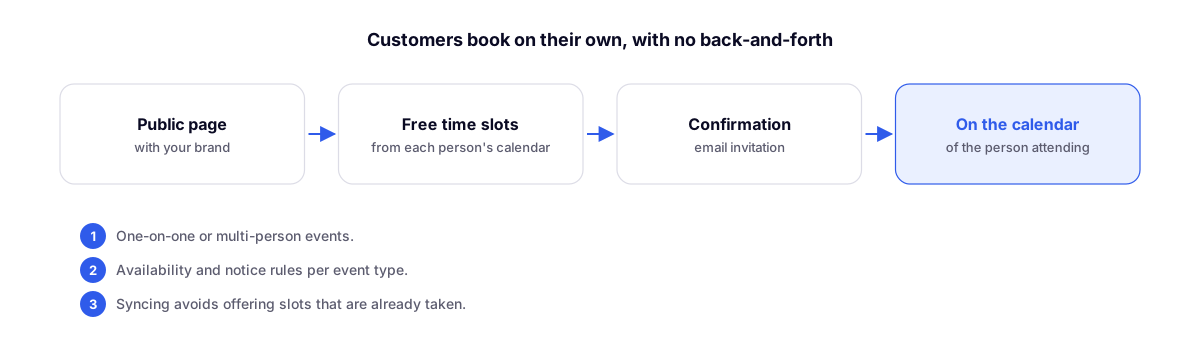
- Each member has their own calendar, and the company can create collective calendars.
- Create event types: individual or with multiple people, including duration, availability rules, and minimum advance notice.
- Share the public page, branded with your company's identity.
- The client chooses an available time and confirms. The email invite goes straight onto the calendar of the person who will be handling the service.
No double-booked times
Synchronization with each member's calendar prevents offering times that are already taken.
Usage ideas
- Scheduling link in the AI agent's welcome message.
- Demo page for the sales team.
- Collective team calendar, with a single link for the company.
Complements
- Your domain on all public links: the agenda page at your company's address.
- Link in bio to centralize your channels: one place to promote your schedule.