What's new ·
Studios become portals: record-based login and free blocks
Build customer portals, vendor portals, and catalogs using record, card, and stage blocks, and configure everything in one place.
By Lucas Marchon, Founder at BrainChat
An internal dashboard shows everything to the team. A customer portal needs to show only that customer's data. Studios just got the pieces to do that.
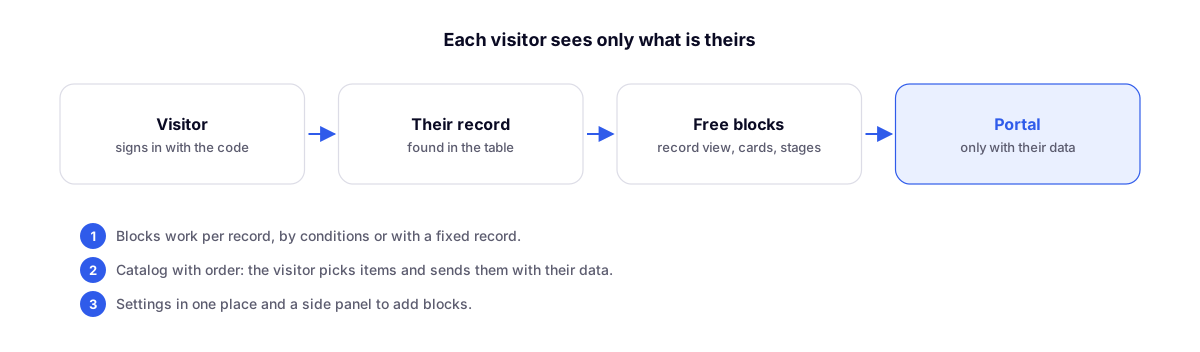
Record-based login
The visitor logs in with a code and sees only their record: the order, the ticket, the enrollment. There is no list of other customers and no way to reach one.
Free blocks
Record, cards, stages, and timeline. Each block works in three ways:
| Mode | Example |
|---|---|
| By the visitor's record | The order form of the person who logged in |
| By conditions | Cards for open orders |
| With a fixed record | An announcement page that is the same for everyone |
Catalog with order placement
The visitor chooses items from a catalog and submits the order with their own details. The order becomes a record in the table.
Assembly
Settings in one place and a side panel to add blocks, with search.
Complements
- Studio with deep-dive charts and unified widget editor: email-and-password portals that can be edited via the Table.
- Map widget: locator with search and branch list: another block for public portals.